
CRYPTAGION keeps your cryptographic inventory current from scheduled sources, ranks every finding by classical and quantum risk, gives each one an owner, and shows whether exposure is actually going down.
Real screenshots of the CRYPTAGION 1.6.0 dashboard on ACME Grid Operations, a fictional demo estate. How the demo data was made.
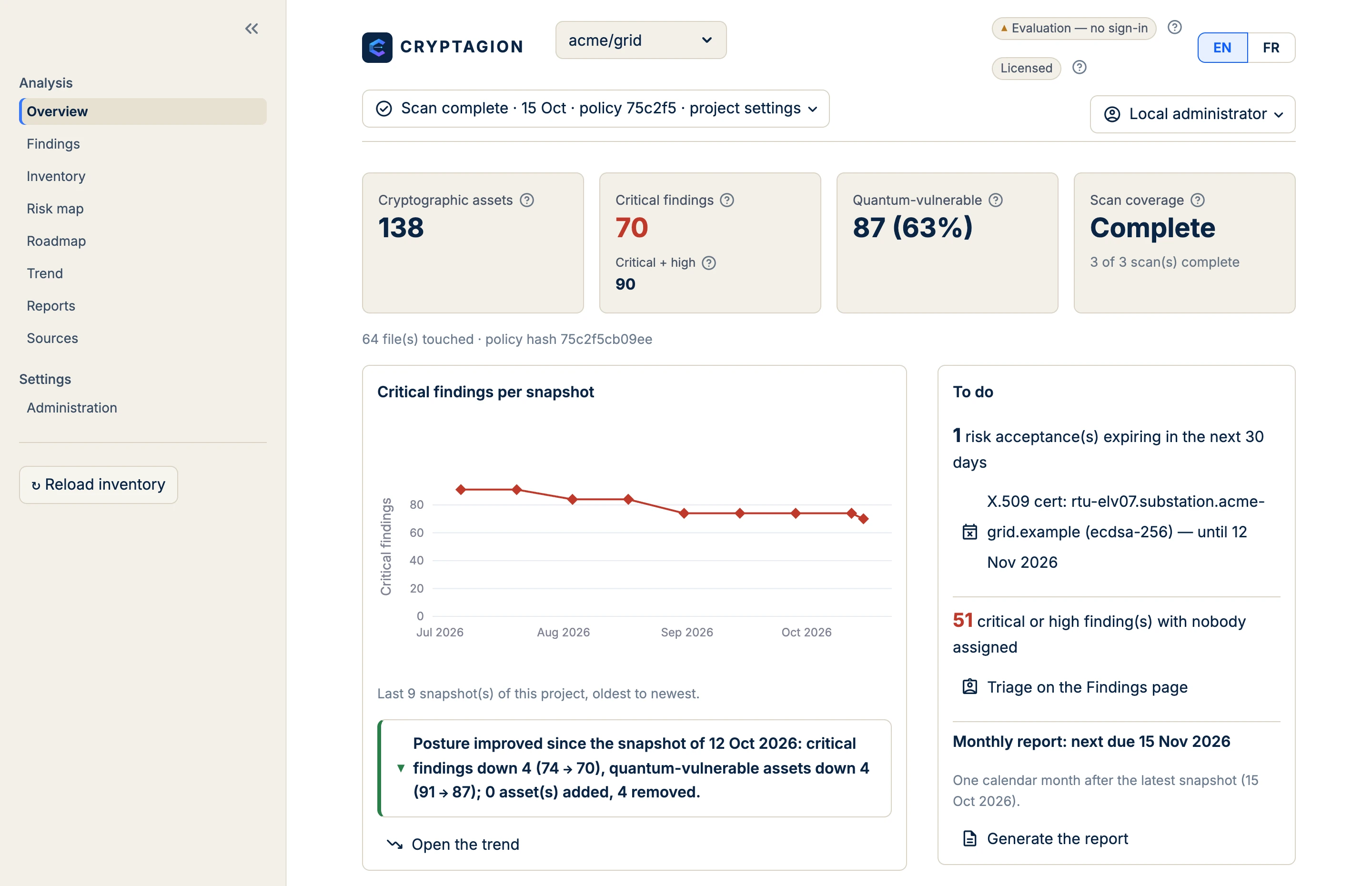
What is my current exposure?
Get an immediate view of your cryptographic exposure, critical findings, quantum-vulnerable assets and scan coverage.
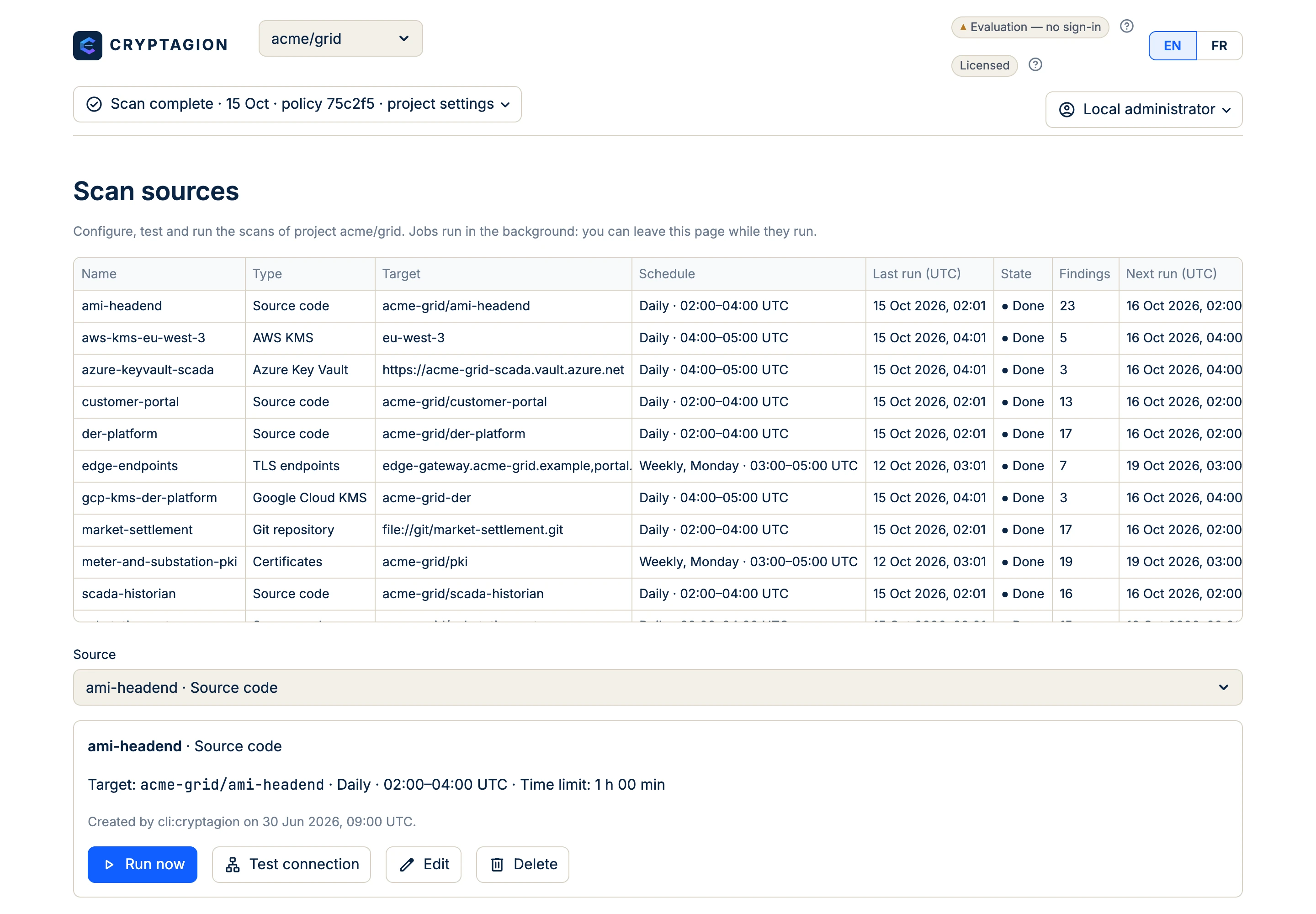
How does the inventory stay current?
Configure persistent discovery sources and keep your cryptographic inventory continuously updated.
Schedule scans across repositories, certificates, TLS and cloud KMS without rebuilding your workflow for every assessment.
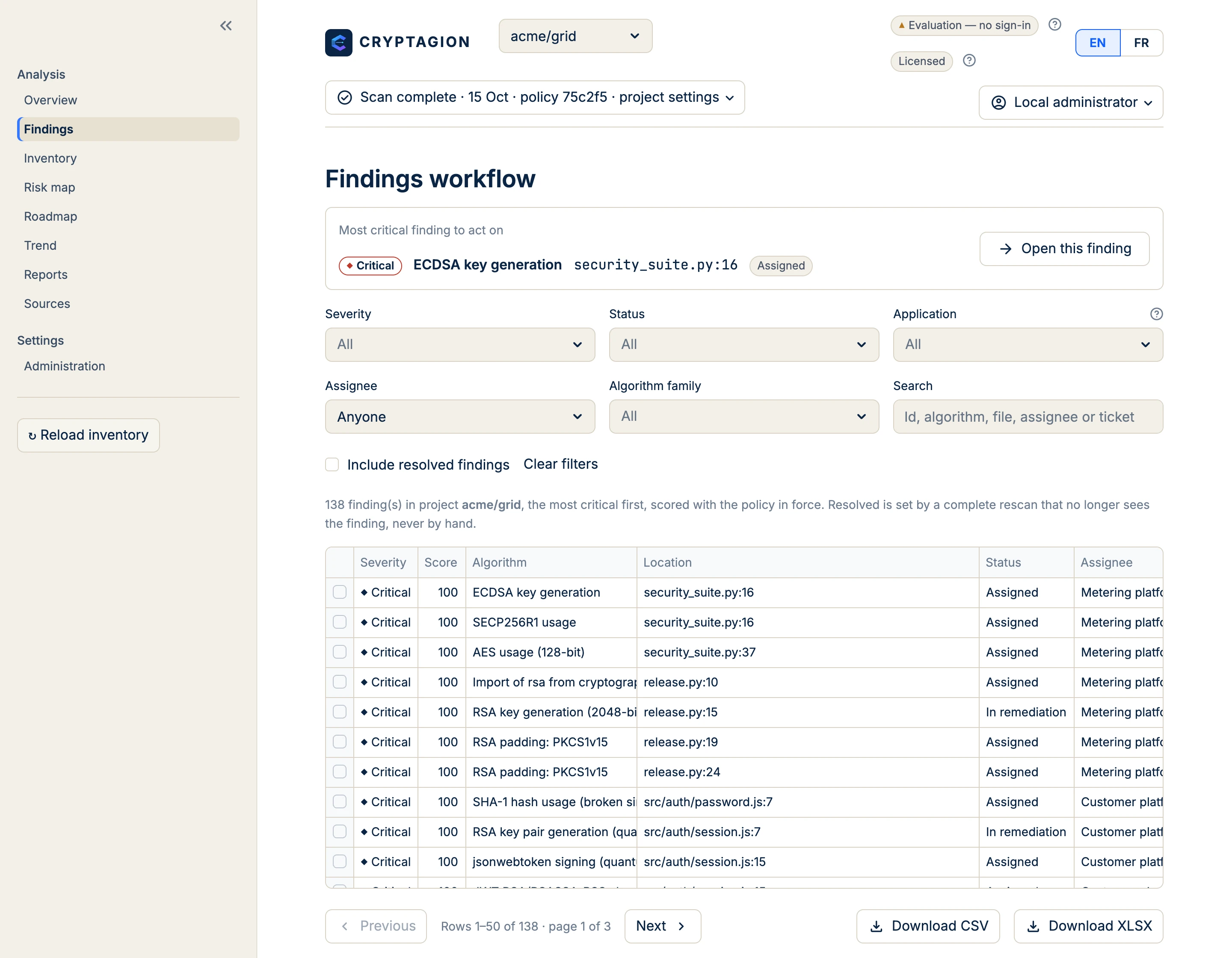
Where do we start?
Every finding is scored 0–100 from the algorithm, key size, data lifetime and HNDL exposure, using the sensitivity policy you set per system.
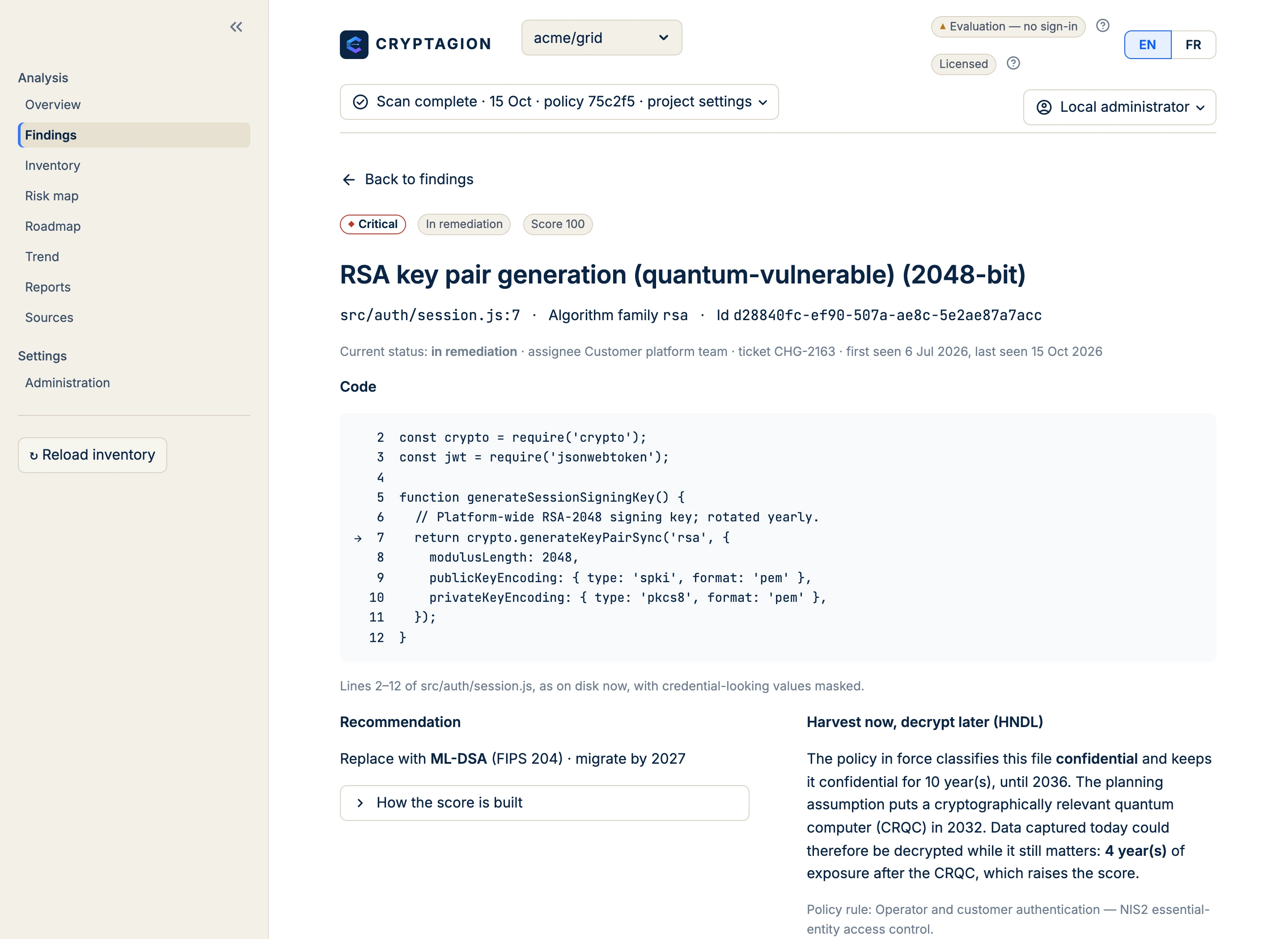
What do I need to fix?
Move from cryptographic evidence to an owned remediation workflow.
Prioritise findings, assign responsibility, accept risk when justified and track remediation to resolution.
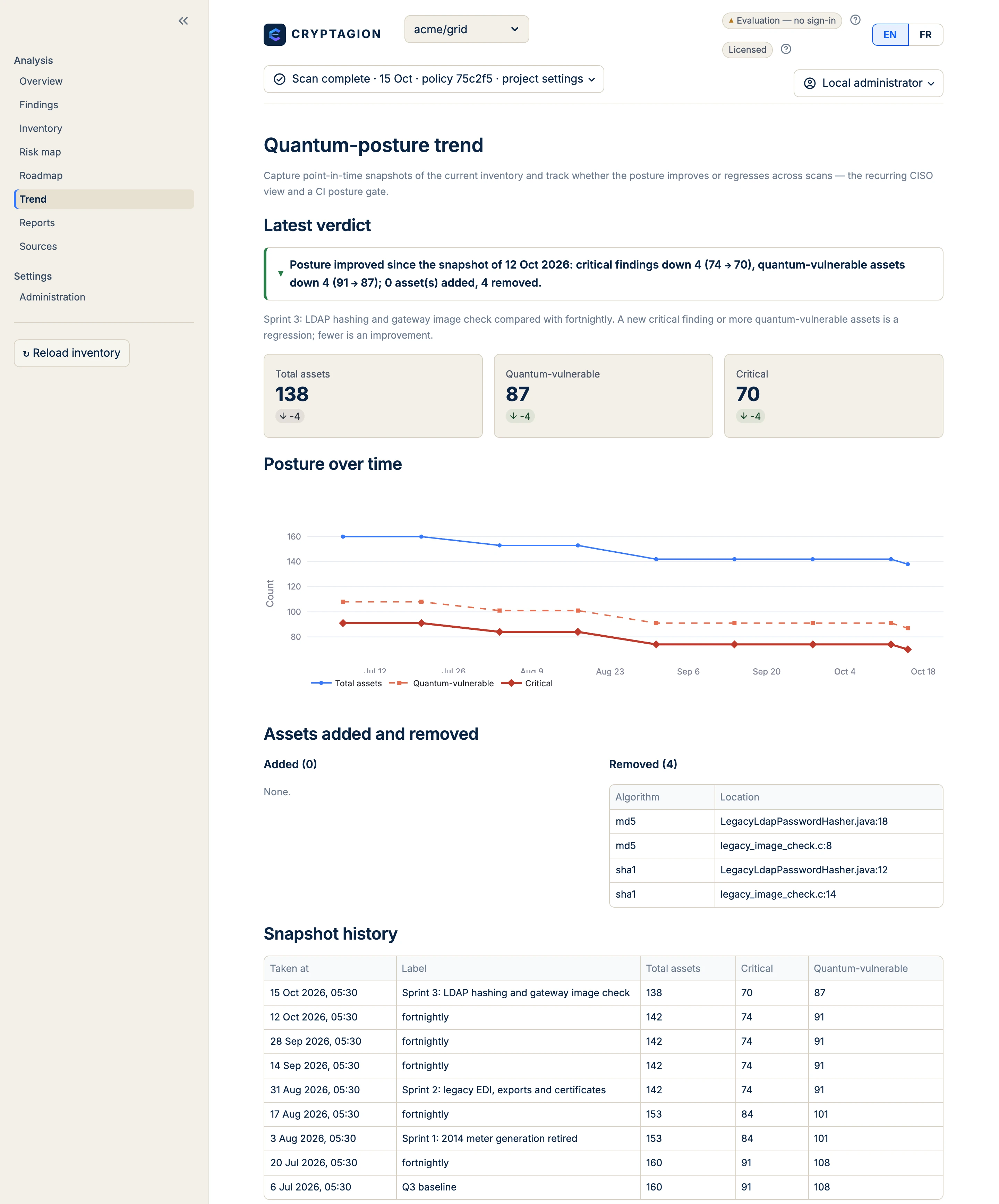
Are we improving?
Measure whether cryptographic exposure is actually decreasing over time.
Track posture changes across scans and turn migration progress into evidence for security leadership.
What do I hand to each team?
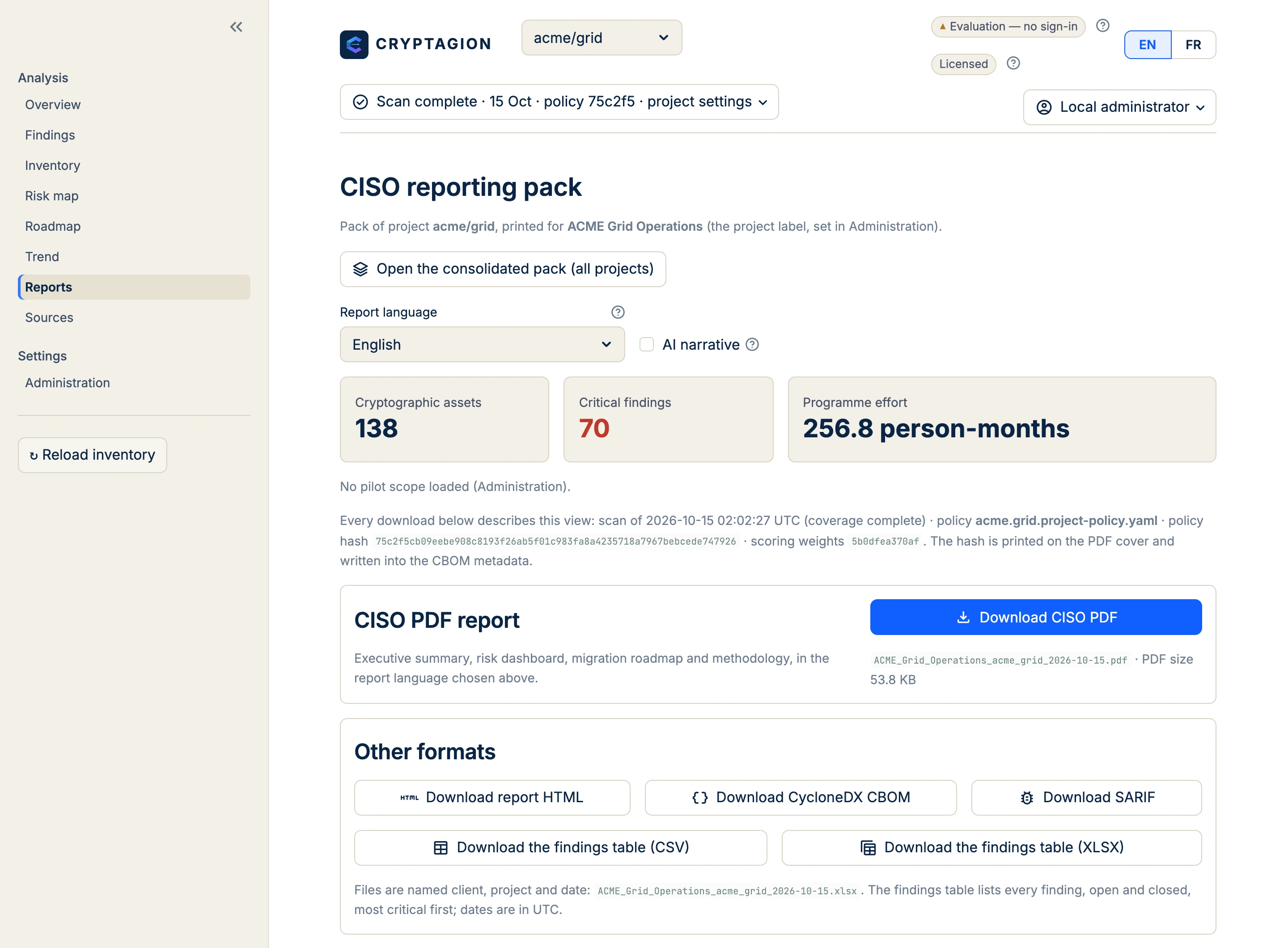
Export evidence for security, engineering, audit and compliance teams.
How much work is it?
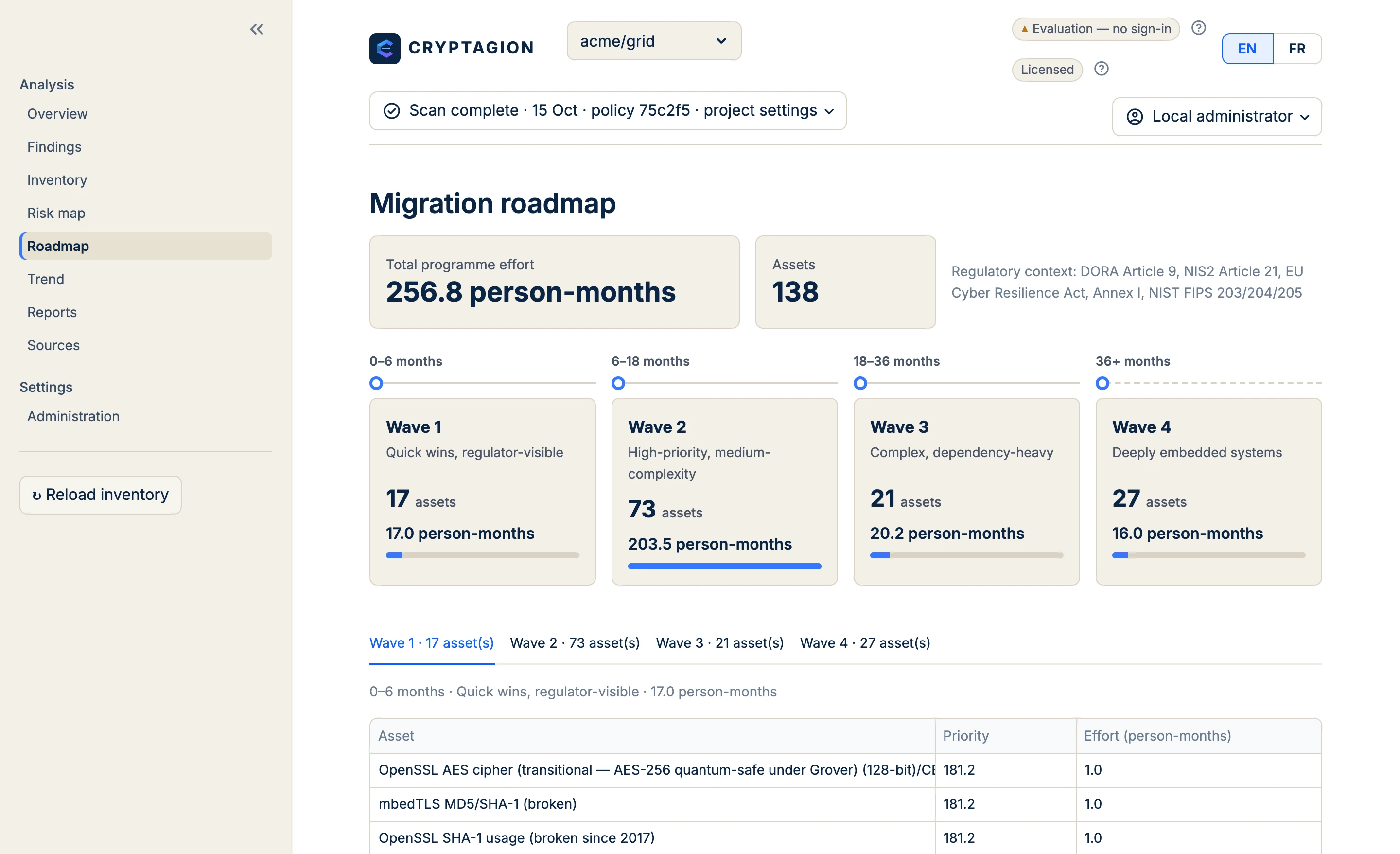
Turn findings into prioritised migration waves with measurable effort.
Source code, certificates and keys are analysed where they live. Nothing is sent to CRYPTAGION.
A container image with the dashboard, the API and a scan worker. Scheduled scans run in the background; the dashboard shows every job and its log.
An offline install bundle and an offline licence. The scanners need no network access, and no AI service is required: the narrative is generated deterministically by default.
Run discovery next to the systems with a signed remote-executor bundle, then import its results into the central inventory.
The same engine runs as a CLI and as a CI gate that fails a build on new weak cryptography. Deployment options →
Standard formats in and out, so findings reach engineering, the SOC and audit without copy-paste.
Export a schema-validated Crypto-BOM; import a CBOM or CSV inventory from another tool.
SARIF for GitHub code scanning and GitLab SAST, a cryptagion gate step for GitHub Actions and a GitLab CI template. CI/CD gate →
Launch and schedule scans, read findings and download reports with named API tokens.
Splunk (HTTP Event Collector), Microsoft Sentinel and CEF exports, plus API access.
Record the change or ticket reference from your own tracker on each finding. There is no built-in Jira or ServiceNow connector.
Findings table in CSV or XLSX, CISO PDF pack and HTML report, all named after the client, project and date.